Free Image Extractor – Extract Images From Any WebsiteImgEx Image Extractor
Analyze Website for Images
Bulk Processing Engine
Placeholders: [index] (001, 002) or [original]
Collections Dashboard & Offline History
No saved collections found
Once you scrape images, use the “Save Collection Draft” button to keep track of them here offline or synced to the cloud.
Example Extraction Result
Preview how ImgEx identifies images, reads raw pixel dimensions, categorizes sources (HTML, CSS, metadata), and packages clean ZIP archives.

alpine_alps_hero_panorama.webp

summit_glacial_trail_4k.jpg
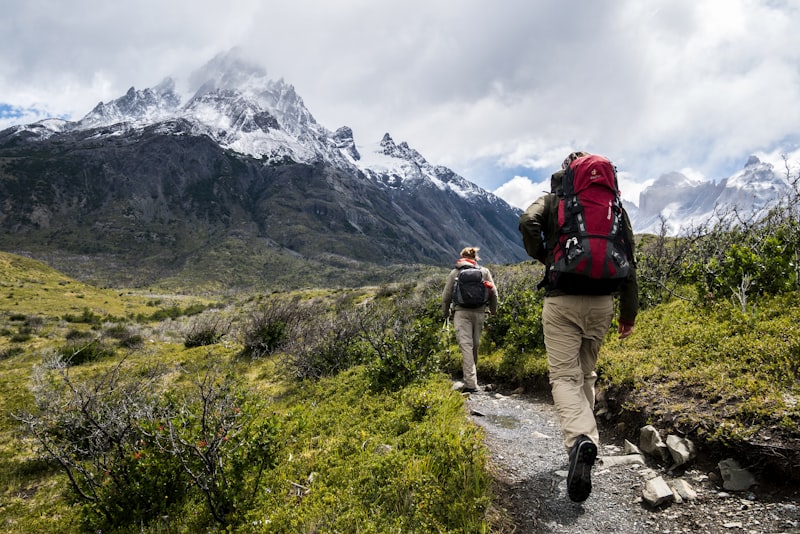
hiker_equipment_portrait.png

expedition_summit_brandmark.svg

og_social_preview_banner.jpg

alpine_shelter_facade.webp
How to Use ImgEx in 3 Easy Steps
Follow this simple illustrated walkthrough to extract, preview, filter, and download website imagery in seconds.
1. Paste a Public Webpage URL
Copy the target address from your browser bar (e.g. an e-commerce catalog, blog article, news portal, or portfolio) and paste it into the search box.
2. Review and Filter Found Images
Inspect thumbnails with live resolution dimensions and file sizes. Use the sidebar filters to isolate specific formats (WebP, JPG, SVG) or exclude tiny icons.
3. Download Selected or a Bulk ZIP
Choose single images or click “Download All (.ZIP)”. Optionally choose a target format (e.g. convert WebP to JPG) or apply custom renaming patterns before saving.
What ImgEx Can Reliably Find
Our multi-layer parser inspects raw HTML, CSS rules, script variables, and metadata tags to extract only verified web image sources.
Standard Page Images
<img> & <picture> elementsDiscovers content photos, article illustrations, and product listings embedded via standard HTML markup, including high-density responsive srcset attributes.
CSS Background Images
background-image: url(...)Identifies hero backgrounds, section patterns, and textured banners declared in inline style attributes or linked stylesheets, resolving relative CSS paths.
Lazy-Loaded & Deferred Images
data-src, data-original, data-lazyScans deferred loading libraries for genuine high-res image URLs stored in custom HTML data attributes before JavaScript hydration swaps them in.
Scalable Vector Graphics (SVG)
.svg files & inline <svg> markupFinds linked vector logos, brand marks, and technical icons. Converts inline XML <svg> code into downloadable vector files.
Social Share Preview Banners
og:image & twitter:imageInspects HTML <head> OpenGraph and Twitter card metadata to surface high-resolution editorial promotional banners.
Site Favicons & Apple Touch Icons
rel="icon" & rel="apple-touch-icon"Captures web application icons, crisp Apple touch icons, and browser tab favicons declared in header link tags for brand identity auditing.
Limits & Troubleshooting Guide
Encountering fewer images than expected? Here is how web security, authentication, and dynamic rendering impact extraction and the recommended next step.
What happens: Pages requiring user login (e.g. private Instagram profiles, member portals, internal Google Docs, or paid paywalls) return HTTP 401/403 or redirect to a login screen, preventing image parsing.
What happens: Websites utilizing strict DDoS firewalls (such as Cloudflare Under Attack mode or Akamai) may block automated scraping requests before HTML is served.
What happens: Single Page Apps that delay rendering or fetch images only following complex user scroll triggers may deliver an initial blank HTML shell to backend parsers.
/feed or /sitemap.xml) where all published asset links are cleanly listed.What happens: Color variant galleries, popup lightboxes, and click-to-reveal accordions often don't inject their secondary photos into the DOM until a user clicks on the element.
Practical Use Cases for ImgEx
See how web developers, digital marketers, graphic designers, and site owners leverage our bulk image extraction tool daily.
Recovering Assets from Your Own Website
Lost your local design files or original photos after a hard drive crash? Run ImgEx on your live website to harvest all published graphics and content photos in bulk.
Auditing Image Formats & Dimensions
Quickly audit your web pages to see if you are serving outdated 3MB PNG files instead of compressed WebP or SVG vectors to optimize Core Web Vitals and SEO rankings.
Finding Oversized Images Before Optimization
Identify excessive camera raw resolutions (e.g. 5000px wide assets displayed inside a 400px column) and use our built-in resolution resizer to scale them before repackaging.
Preparing a Site Migration or Redesign
Switching from Shopify, WordPress, or Webflow to a new platform? Bulk export product imagery and article media into structured ZIP archives with clean naming schemes.
Design Research & Creative Moodboarding
Curate inspirational photography, UI components, vector icons, and typography banners across creative design showcases without tedious manual right-clicking.
Archiving Documentation & Campaign Media
Preserve press release photos, event highlights, and product announcement materials before campaigns expire or legacy microsites are taken offline.
Privacy and Image Copyright Rights
ImgEx is engineered with strict client-side data privacy. Please read our operational commitments and copyright compliance responsibilities below.
What Happens to Your Submitted URLs?
- Zero Media Storage: ImgEx does not save, rehost, or catalog extracted image files on any permanent server.
- Ephemeral Processing: Target URLs are fetched in serverless memory solely to parse DOM markup and return technical metadata.
- Client-Side Compression: Image resizing, format conversion (e.g. WebP to JPG), and ZIP file bundling run entirely in your local browser sandbox.
Copyright & Reuse Notice
The copyright belongs exclusively to the original creator or copyright owner. Always verify licensing terms (such as Creative Commons, Public Domain, or written licensing agreements) before re-publishing or redistributing assets.
Selected Image Extraction Guides
Explore our curated technical tutorials covering image extraction methodologies, format comparisons, and CSS analysis.
How to Extract Images From a Website
The comprehensive, beginner-friendly guide to inspecting source HTML, extracting image URLs, and downloading assets from any public website.
How to Download All Images From a Website in a ZIP
Learn how to batch package dozens or hundreds of media files into a compressed ZIP file with custom naming rules in a single operation.
How to Extract Background Images from CSS
Master the techniques needed to discover hidden hero banners and pattern textures declared inside CSS background-image stylesheets.
Image Formats Explained: JPG vs PNG vs WebP
Understand the technical differences between lossy JPEG, lossless PNG, modern WebP, and vector SVG for web speed and visual clarity.
How to Extract Lazy-Loaded Images from Modern Sites
Inspect how modern frameworks defer image loading using data-src and IntersectionObserver attributes, and how to extract them.
How to Audit Website Images for PageSpeed & SEO
A practical checklist to audit oversized media, unoptimized dimensions, missing alt attributes, and next-gen format conversion.
Frequently Asked Questions
Everything you need to know about image extraction, bulk ZIP downloads, formats, multi-URL scraping, and privacy security.